
1
Shrink to a target file size
Need a photo under a limit for an email, form, or upload page? Pick a size from 128 KB to 15 MB and Resize Ease lands at or below it — original untouched.
Offline photo resizer
Resize Ease shrinks photos to an exact file size, resizes to exact dimensions, crops to any shape, and converts between PNG, JPEG, and WEBP — all on your phone. Up to 100 images at once, fully offline, with your originals always safe.


Free to download · Works offline · No account needed
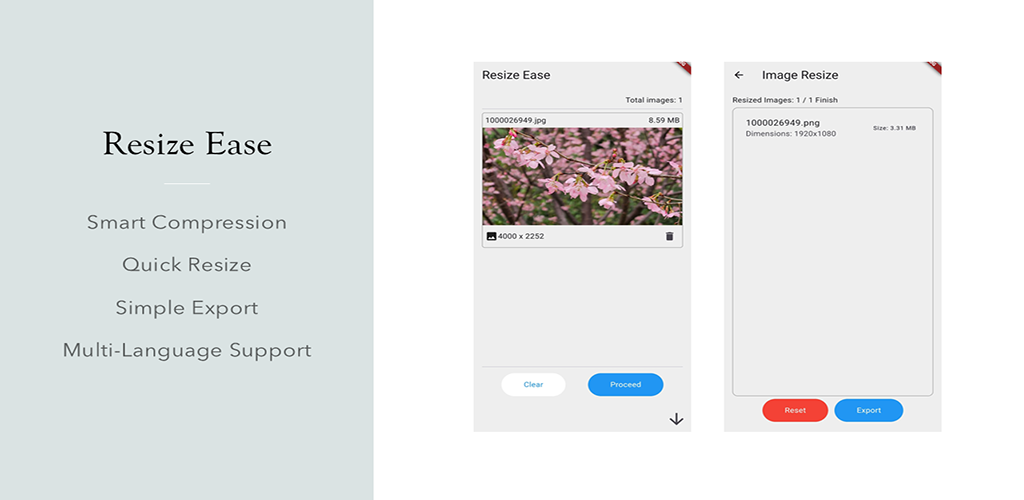
Example result — your savings depend on the photo and the tool you pick.
Original untouched — every result is a fresh copy.
Compress, resize, crop, and convert — everything your photo needs to fit exactly where it's going.
Need a photo under a limit for an email, form, or upload page? Pick a size from 128 KB to 15 MB and Resize Ease lands at or below it — original untouched.
Type the width and height you want and you're done. Change your mind? One tap keeps your photo's shape so it's never stretched or squashed.
Square, widescreen, phone-wallpaper portrait, or any custom shape. A nine-position grid picks exactly which part of the picture to keep — no stretching, ever.
Switch photos between PNG, JPEG, and WEBP in one tap. Go smaller for sharing, or keep top quality — an easy slider decides.
One tap fills in the perfect size for Instagram, YouTube thumbnails, TikTok, app icons, favicons, popular phone screens, HD, 4K, and more.
Why resize one photo at a time? Select up to 100 images — individually or a whole folder — and process them all with a single tap.
Photos carry invisible details: where and when they were taken. Resize Ease removes this hidden data automatically, so you can share with confidence.
Every image shows a clear before → after comparison with how much smaller it got. Watch 3.2 MB become 512 KB — an 84% saving, right before your eyes.
One tap fills in the perfect size — no guessing, no calculators, no looking up platform specs.
From "photo too big" to "perfectly sized" in three steps — fast enough for a hundred photos at once.
Pick one photo or up to 100 at once — choose them individually or grab an entire folder in a single go.
Set a target file size, exact dimensions, a crop shape, or a new format. Ready-made presets fill in the perfect values with one tap.
Compare the before-and-after sizes, then save, email, or share anywhere — even WhatsApp. Your originals stay untouched.
Your photos never leave your phone. Everything happens right on your device — no uploads, no cloud, no accounts.
Resize Ease is available in 12 languages — switch anytime.
Privacy, file sizes, batch limits, formats, and how cropping works.
No. Everything happens right on your device — no uploads, no cloud, no accounts. That's also why the app works perfectly with no internet connection.
Yes. Pick any target from 128 KB up to 15 MB — for an email, a website form, or an upload page — and Resize Ease delivers a photo at or below that size.
Up to 100. Select images individually or grab an entire folder in one go, then resize, compress, crop, or convert them all with a single tap.
Never. Every result is a fresh copy, so you can tweak settings and re-do as many times as you like. Your originals stay exactly where they belong.
Convert between the most common formats — PNG, JPEG, and WEBP — with an easy quality slider that trades file size against image quality.
Yes. Photos carry invisible metadata such as where and when they were taken. Resize Ease strips this hidden personal info automatically so you can share with confidence.
Yes. Crop to a square, widescreen shot, phone-wallpaper portrait, or any custom shape. A simple nine-position grid lets you choose which part to keep — no stretching, ever.
Fully. Resizing, cropping, converting, saving, and sharing all work with zero internet, and the app speaks 12 languages you can switch anytime.